Key takeaways
- A studio's IT has to work for Macs and PCs side by side, because presentation work loves the Mac and AutoCAD and Revit only run on Windows.
- Creative software is a licensing and update problem before it is a technical one; one administrator owning every portal saves money and surprises.
- Sample libraries, installation photos and presentation boards outgrow ordinary file sharing fast; fast storage in the studio plus the cloud for sharing is the pattern that works.
- Client presentations fail for boring reasons: a dead adapter, a display that will not wake, a laptop that chose that moment to update.
- Studios hold client addresses, floor plans and deposit details, which makes email security and backups a matter of reputation, not just tidiness.
The short answer: who handles IT for an interior design studio in Dallas?
I do. I am Anthony Omini, the owner of Cross River Tech, a small managed IT company in Dallas, and interior design and architecture studios are one of the industries I work with most. That means the real, specific mix that a studio runs on: a few Macs and a few PCs, Adobe Creative Cloud, SketchUp and a rendering plugin, AutoCAD or Revit on the Windows side, a project management and purchasing tool, an enormous library of product images and samples, and a laptop that has to connect flawlessly to a client's television at the presentation.
Studios tend to get one of two kinds of IT help before they call me. Either a general IT company that treats a Mac as a mystery and a 3 GB Photoshop file as a problem to be discouraged, or a friend of the founder who set things up once and is no longer answering texts. Neither is the fault of the studio. Creative work makes unusual demands on IT, and most providers optimize for accounting offices.
What I offer is one point of contact, me, who knows your whole setup, supports both platforms, understands why the files are big, and is honest about what actually needs money, with a small team behind me for the routine monitoring and updates. I am remote first, which is faster and cheaper for you, and onsite by appointment anywhere in the Dallas metroplex when something needs hands. If you want the overview of how I work with studios, the IT support for architecture and interior design firms in Dallas page has it. If you would rather just describe what is broken, get in touch and I will tell you what I would do first.
What does a design studio actually need from IT?
Strip away the jargon and a studio needs a short list of things to be reliably true. I use this list in the first conversation with every studio, and it is the list I hold myself to afterwards.
- Every designer's computer works, on either platform. Macs and PCs both signed in to the same accounts, on the same email and files, with the same security, and supported by the same company.
- The creative software is installed, current and paid for. Adobe, SketchUp, the rendering tools, AutoCAD or Revit where needed, with licensing that matches who is actually working.
- The big files have somewhere fast to live. Presentation boards, renderings, product photos and CAD files on storage that does not make people wait, with old versions recoverable.
- Presentations work in the room. The laptop, the adapters, the conference room display and the client's television at their house all cooperate.
- Client information is safe. Addresses, floor plans, budgets and deposit details are backed up and protected from the kind of email fraud that targets deposits.
- People can work from showrooms, job sites and home. Laptops, phones and a secure way to reach studio files.
- Somebody answers. When a file will not open the morning of an installation, there is a person to call who knows the studio, not a ticket queue.
Each of the sections that follow takes one of these and explains how I make it true. None of it requires a large budget. It requires someone paying attention to the studio's actual work rather than applying a template built for a different kind of business.
Macs and PCs in the same studio
Nearly every design studio I meet runs both, and there is a good reason. Designers who came up through presentation and graphic work prefer the Mac. AutoCAD runs on both, but Revit, Chief Architect and several rendering tools are Windows only, so the technical drafting seat is often a PC. The problem is not the mix; it is when the mix is unmanaged, so the Macs are on their own, updates never happen, and nobody knows what is installed where.
I support both platforms fully. Every machine, Mac or PC, is enrolled in the same management and security tools, so I can see its health, push updates on a schedule, install software remotely and wipe it if it is lost. Every machine signs in to the same Microsoft 365 or Google Workspace accounts with multi-factor authentication, so email, calendars and shared files are identical whichever desk someone sits at. File sharing is set up so the same project folder opens on a Mac and a PC with the same path, which matters for linked files.
A few practical notes from experience:
- Mac hardware choices matter for design work: memory cannot be added later, so I spec generously for anyone working in large Photoshop or InDesign documents.
- Peripherals are the usual friction point. Docks, adapters and monitors that work on one platform and not the other generate more support calls than the software does. I standardize on a small set that works on both.
- Where a Mac designer occasionally needs a Windows-only tool, running Windows in a virtual machine on the Mac or remoting into a studio PC is usually better than buying a second computer.
All of this sits inside the same monthly plan. There is no Mac surcharge and no separate provider for one side of the room. I explain the account and licensing side in more detail on the Microsoft 365 and Google Workspace support page.
Adobe, SketchUp and the rest of the software stack
A studio accumulates software the way it accumulates fabric samples: a subscription here, a plugin there, a trial that somebody started paying for. Before long the firm is paying for seats nobody uses, a renewal lapses the week of a big presentation, and a new hire waits three days for a login. The technical support for creative software is rarely the hard part; the administration is.
What I do is take over the portals. One admin account per vendor, owned by the studio and protected with two-factor authentication, with me handling the day-to-day. That covers Adobe Creative Cloud for teams, SketchUp, the rendering plugins such as Enscape, V-Ray or Lumion, AutoCAD or Revit through Autodesk, Chief Architect where used, Bluebeam, and the business side of the studio: the project management and purchasing platform, whether that is Studio Designer, Ivy, Houzz Pro, Design Manager or another, plus QuickBooks and the e-signature tool. Every renewal goes on one calendar. Every hire and departure is a five-minute change, not a scavenger hunt.
On the technical side, I keep the software current without breaking work in progress. Creative updates are staged rather than automatic, because a plugin that stops working after a SketchUp update is a real cost mid-project. Adobe fonts and libraries are set up so shared assets look the same on every machine. Color profiles for monitors and the printer are set once, so what the designer sees is close to what the client holds.
The result is that the studio stops thinking about software and just uses it. If you have ever had a designer stuck at the login screen of a tool the studio pays for, you know how much that is worth. It is part of the monthly fee on my managed IT services, not an add-on.
Sample libraries, photos and other big files
A design studio produces and collects an astonishing amount of imagery. Product photos from vendors, a library of finishes and fabrics scanned or photographed for boards, hundreds of photos from every installation, layered presentation files, renderings and the occasional video walkthrough. Ordinary file sharing built for documents starts to strain early, and the symptoms are familiar: a shared drive that is full, a sync client that never finishes, a presentation board that takes a minute to open, and three copies of every image with slightly different names.
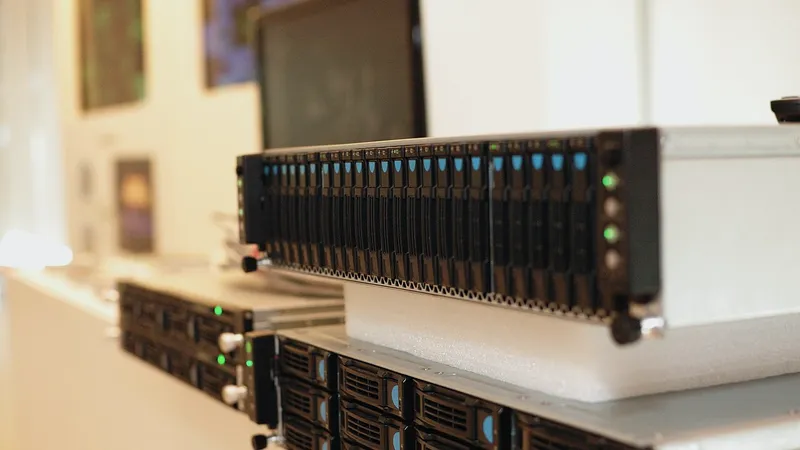
My approach has two parts. First, fast storage in the studio for active work: a business NAS with solid-state storage, wired at speed to every designer's desk, with snapshots so an overwritten board comes back in a minute. Second, the cloud for what needs to travel: photos designers want on their phones at a showroom, files shared with a client, and documents people work on from home. The rule about which files live where is short, written down and explained to every new hire.
The sample library deserves its own thought. Many studios keep a physical library and a digital one, and the digital one is only useful if people can find things. I set up a consistent folder structure by vendor and category, standardize file naming for scanned samples, and, where the studio wants it, a lightweight digital asset tool that lets designers search by tag and preview thumbnails instead of opening folders one by one.
Everything gets backed up: the NAS to a second device in the studio and to the cloud, with one copy locked against deletion, and the cloud files backed up separately. I go into the options, the sizing and the network side in depth in file servers, shared storage and backups for design firms. For most studios the whole storage setup is a modest one-time cost that ends years of daily friction.
Client presentations that do not fail in the room
Nothing undermines a beautiful concept like ten minutes of fumbling with a cable while the client waits. Presentations fail for boring reasons, so the fix is boring too: preparation and standard equipment.
For the studio conference room, I install a large display wired to a small, always-on player or a dedicated dock, so any designer's laptop, Mac or PC, connects with a single cable or wirelessly with one click. Sound is handled, the display wakes when a device connects, and there is no remote control hunt. Guest Wi-Fi is separate from the studio network, so a client can connect a phone to share their own photos without touching your files.
For presenting at the client's home or office, every presenting laptop gets a small kit: adapters for the common television and projector inputs, a spare charger, and a PDF export of the presentation on the laptop and on a phone as a fallback if the software will not cooperate. Laptops are set so updates never install during business hours and the machine does not decide to restart when it wakes. Presentation files are copied locally before leaving the studio, because relying on Wi-Fi at a client's house is how good meetings go wrong.
A checklist I give every studio:
- Presentation copied to the laptop and exported to PDF the day before.
- Laptop charged and updates paused.
- Adapter kit and spare charger in the bag.
- Sample photos and pricing available offline on the phone.
- Someone to call if all of that fails, which is me.
None of this is glamorous. All of it is what separates a studio that looks effortless in front of clients from one that looks like it is fighting its own equipment.
Working across the Design District, showrooms and job sites
Interior design in Dallas is not a desk job. Designers spend their days at showrooms in and around the Design District, at client homes across the metroplex, at job sites with contractors, and at the studio in between. IT has to follow them, which changes a few decisions.
Laptops over desktops for anyone who travels, with a docking station at the studio so the laptop becomes a full workstation with big monitors when they are in. Phones set up with the studio's email, calendar and files, with a management profile that lets me wipe the business data if the phone is lost without touching personal photos. A secure way back into the studio storage from anywhere, and for heavy design work from home, remoting into a studio machine rather than dragging large files across a home connection.
Showroom days bring their own small needs. Designers want to photograph a piece, note the vendor and price, and have it land in the right project folder without emailing it to themselves. A shared cloud folder per project, available on the phone, handles this and keeps the studio's library growing in one place instead of in a dozen camera rolls.
For the studio itself, whether it sits in the Design District, in Uptown, in Oak Cliff or out in the northern suburbs, I make sure the internet connection, firewall and Wi-Fi are set up for a workspace where clients visit and where large files move all day. And because the metroplex is large, my support model fits it: the vast majority of issues are fixed remotely wherever the designer happens to be, and I schedule onsite visits for what needs hands. That is faster for a busy studio than waiting for a technician to drive across town for a password reset.
Protecting client information and your own work
A design studio holds more sensitive information than it usually realizes. Client home addresses and floor plans. Photos of the inside of their houses. Budgets, invoices and the details of large deposits. Vendor accounts with the studio's payment details. The single biggest risk I see is not a dramatic hack; it is email fraud. Someone impersonates the studio or a vendor and asks a client to send a deposit to a new account, or impersonates a vendor and asks the studio to do the same. The money moves and does not come back.
The protections are well understood and not expensive:
- Multi-factor authentication on every account, starting with email, so a stolen password alone is not enough to get in.
- Email security that flags messages from outside the studio, catches lookalike domains and quarantines obvious fraud.
- A written rule about payment changes: any request to change bank details, from a client or a vendor, is confirmed by phone on a known number, no exceptions.
- Endpoint protection on every Mac and PC, managed centrally so I know it is running.
- Backups of the studio files and the cloud accounts, with one copy that ransomware cannot reach, so the studio's years of work survive anything short of the building burning down, and even that.
- Offboarding that actually removes a departed designer's access to files, vendor portals and the social accounts on the same day.
I set these up as part of the normal monthly plan and explain each one to the studio in plain language, because a security control nobody understands gets worked around. If a client ever asks how you protect their information, you will have a real answer. The full set of what I do is on the cybersecurity, backup and disaster recovery page.
What managed IT costs for a small design studio
Most studios I work with have between three and twenty people. At that size a full-time IT employee makes no sense, and paying hourly for every problem gets expensive and slow, because nobody is watching between calls. Managed IT is the middle path: a fixed monthly fee, everything above included, one point of contact who knows the studio.
My managed IT plan is quoted per user or per device per month after a short conversation about how many people and machines you have, and it is month-to-month with no long contract. For context, small-business managed IT in the Dallas market is commonly quoted somewhere around $100 to $175 per user per month depending on what is included; that is a typical market range, not my price. What the plan includes for a studio: updates for every Mac and PC, unlimited remote support, onsite visits at no extra charge when remote cannot fix it, antivirus and email security, managed backup, and management of the internet, firewall, switches, Wi-Fi and printers.
If you are not ready for a monthly plan, or you only need one thing done, I also work hourly with no contract through my hourly IT support and break/fix service: $100 per hour remote and $150 per hour onsite during business hours, with a one-hour minimum. Setting up a NAS, sorting out the software licensing, or fixing the conference room are all common one-off projects.
Either way, the first step is the same. Tell me about your studio: how many people, Macs or PCs, what software, where the files live and what is currently annoying you. I will come back with a plain-language plan and an honest quote, usually the same day.
Questions people ask
Who provides IT services for an interior design studio in Dallas?
Cross River Tech does. It is a small, owner-led managed IT company in Dallas, and interior design and architecture studios are one of the industries I focus on. I support Macs and PCs together, handle Adobe, SketchUp, AutoCAD and rendering software licensing, set up fast storage for large files, make client presentations dependable, and protect client information. Support is remote first, with onsite visits by appointment across the metroplex.
Can you support both Macs and PCs in the same studio?
Yes, and most studios run both. Every machine, Mac or PC, is enrolled in the same management and security tools, signs in to the same Microsoft 365 or Google Workspace accounts with multi-factor authentication, and opens the same project folders with the same paths. There is no Mac surcharge and no separate provider for one side of the room.
Do you handle IT for designers in the Dallas Design District?
Yes. I support studios wherever they are in Dallas and the surrounding metroplex, including the Design District, Uptown, Oak Cliff and the northern suburbs. Because designers spend their days at showrooms, client homes and job sites, most support is delivered remotely wherever the designer happens to be, and I schedule onsite visits for anything that needs hands at the studio.
Where should a design studio keep its sample library and project photos?
Active work belongs on fast storage in the studio, typically a business NAS with solid-state storage wired to every desk, with snapshots so an overwritten board comes back in a minute. Photos designers need on their phones and files shared with clients belong in the cloud. A consistent folder structure and naming convention, plus backups of both, keep the library usable as it grows.
What is the biggest security risk for an interior design studio?
Email fraud around deposits and vendor payments. Someone impersonates the studio or a vendor and asks for money to be sent to a new account. Multi-factor authentication on email, email security that flags outside senders and lookalike domains, and a firm rule that bank detail changes are confirmed by phone on a known number stop nearly all of it. Backups cover the rest.
How much does managed IT cost for a small creative studio?
My plan is quoted per user or per device per month after a short conversation, and it is month-to-month with no long contract. As a general reference, small-business managed IT in the Dallas market is commonly quoted around $100 to $175 per user per month depending on what is included. If you only need one project done, I also work hourly with no contract at my published break/fix rates.