Key takeaways
- Decommissioning an office's IT means wiping every drive, disposing of or reselling equipment with a record, restoring the suite to what the lease requires and cancelling every service in writing.
- Old hard drives are the biggest risk left behind in a vacated office; wipe or physically destroy every one, including the ones inside copiers.
- Check the lease for cabling removal before move day, because some Dallas landlords require it and it takes a crew.
- Internet and phone contracts at the old address keep billing until canceled with notice, so put the cancellation on the same calendar as the move.
- Doing the decommissioning and the new-office setup as one project, with one company and one point of contact, means nothing is forgotten between the two.
What is office IT decommissioning?
Office IT decommissioning is the work of closing down the technology in an office you are leaving: wiping the data off every device that stays behind or is disposed of, disposing of or reselling equipment with a record of what happened to it, restoring the suite to the condition the lease requires, and cancelling the internet, phone and other services tied to that address. It is the half of an office move that nobody budgets for, because the exciting part is the new office.
I am Anthony Omini, the owner of Cross River Tech, a small IT company in Dallas, and decommissioning is part of the office move and new-office IT setup work I do for businesses across Dallas–Fort Worth. I usually do it as the closing chapter of a move, in the week or two after the new office is running, and as one project with the setup so the same person who knows what left the old office knows what arrived at the new one.
It also comes up on its own: a business closing a location, consolidating two offices into one, moving fully remote, or clearing out a suite that a previous tenant left full of equipment. The steps are the same. This article walks through them in the order I do them: data first, then equipment, then the building, then the paperwork.
Secure data wiping: what has to be erased and how
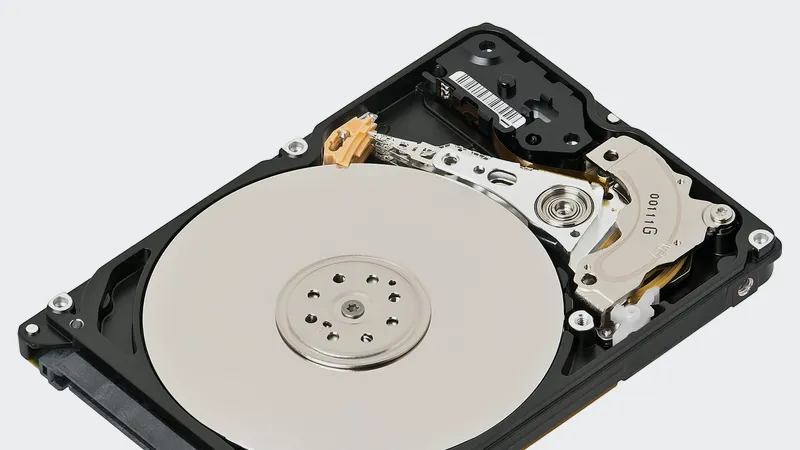
The single most important part of decommissioning is making sure that no data leaves in a device you no longer control. Deleting files and emptying the recycle bin does not remove them. A drive that has been formatted still holds most of its data for anyone with free software and an afternoon. For a law firm, a dental or medical practice, or an insurance agency, a drive left in a vacated office is a client-confidentiality or HIPAA problem waiting to be found.
Here is what gets wiped, and how, in general terms:
| Device | What is on it | What I do |
|---|---|---|
| Servers and NAS drives | Every file the business has ever shared, databases, backups | Verified copy at the new site or in the cloud first; then a multi-pass wipe of each drive, or physical destruction if the drive is failing or being disposed of |
| Desktop and laptop drives | Local documents, cached email, saved passwords, browser sessions | Wipe with a tool that reports completion per drive; for solid-state drives, use the manufacturer's secure erase rather than an overwrite |
| Copiers and multifunction printers | Images of every scanned and printed page, address books, scan-to-email credentials | Run the device's data erase before it goes back to the leasing company; confirm it in writing with them |
| Phones and phone system | Call logs, voicemail, directory, provisioning credentials | Factory reset each handset and the system; remove the account from the cloud provider |
| Firewall, switches, access points | Network configuration, VPN keys, Wi-Fi passwords | Export the configuration for reference, then factory reset; a firewall with your VPN keys is not something to leave on a shelf |
| External drives, USB sticks, backup tapes | Whatever someone copied years ago and forgot | Find them; the search is the hard part. Wipe or destroy |
For each device I record the serial number, what was done and when, so you have a written destruction record for your own files, your cyber-insurance application or a client who asks. Wiping happens after the new site is verified working from its own backup, never before. The security side of this connects to the wider cybersecurity, backup and disaster recovery work.
Asset disposal: resell, recycle, return or destroy
Once a device is wiped, it has to go somewhere, and where it goes should be a decision rather than a pile by the door. Here is how I sort it.
- Return. Leased copiers, rented phone handsets, the carrier's internet handoff box. Each has a company that wants it back and will charge you if it does not arrive. Get the return confirmed in writing.
- Move. Anything sound enough to be worth carrying to the new site, which is most equipment under about four years old. This decision was made at the planning stage; see the office move IT checklist.
- Resell. Business-class laptops, desktops and monitors a few years old have resale value, and several Dallas-area resellers buy in bulk. The drive is wiped or removed first, always.
- Donate. Schools and nonprofits take working computers. Same rule: wiped first, with a record.
- Recycle. Anything dead or too old to be worth reselling goes to an electronics recycler that provides a written record of receipt. Monitors, batteries and UPS units in particular should not go in a dumpster; Texas has rules on electronic waste and the landlord's dumpster is not the place.
- Destroy. Drives that held sensitive data and are not being reused are physically destroyed, either by a shredding service that provides a record per serial number or, for a handful of drives, by me with a drill and a photograph.
The output of this stage is a one-page inventory: every serial number, what happened to it, and the receipt or record for each. It is the document you will want when the auditor, the insurer or a client asks where the old server went. It takes an hour to make on the day and is impossible to reconstruct afterwards.
Lease hand-back: what the landlord expects you to leave, and remove
The condition you hand the suite back in is in the lease, and it is worth reading that clause before move day rather than after the landlord's inspection. In general, Dallas commercial leases fall into a few patterns on the IT side:
- Cabling stays. Many landlords treat structured cabling as part of the building and want it left in place, labeled, with the patch panel intact. That is the easy case, and it is one reason to label properly when the cable goes in.
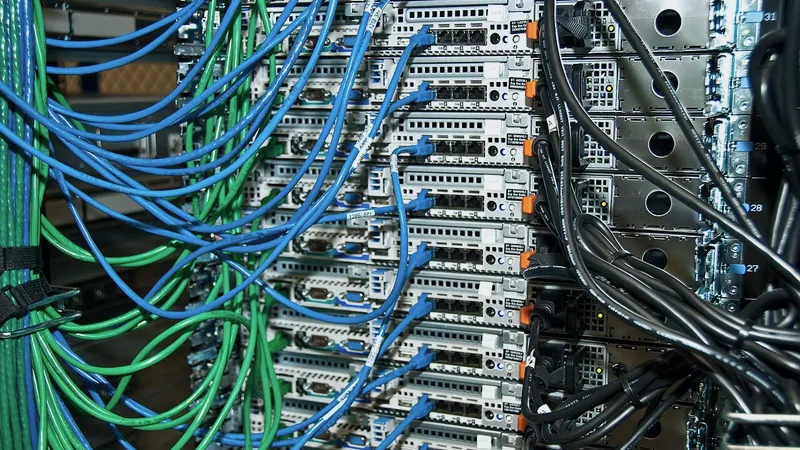
- Cabling must be removed. Some leases require the tenant to remove all cabling installed during the tenancy, back to the source, because abandoned cable in a plenum ceiling is a fire-code concern. This is real work: a crew, ceiling tiles out, and a day or more for a mid-sized suite. It should be quoted at the planning stage, not discovered at the walk-through.
- Restore penetrations. Holes drilled for cable, wall plates, and the rack's floor or wall mounting may need patching. Often this is the general contractor's job, but the rack has to come out first.
- Rack and patch panel. Usually yours to remove unless the landlord asks to keep them for the next tenant, which is worth offering.
- Wall-mounted TVs, access points, cameras. Come down, with the mounts, unless agreed otherwise.
What I do: I read the lease clause, walk the suite with the property manager before the final day, agree in writing what stays and what goes, and then do or arrange the removal. For cabling removal I bring the same crew that installs, since the job is the install in reverse. Leaving this to the last afternoon is how businesses end up paying the landlord's contractor at the landlord's rate.
Cancelling services tied to the old address
Services attached to an office do not stop when you leave; they stop when you cancel them in writing, with the notice the contract requires. This is the part of decommissioning that costs real money when it is missed, and it is entirely paperwork.
- Internet. Business internet contracts have a term, a notice period and often an early termination fee. Check the term before you set the move date; timing the move to the contract's end can save months of payments. Cancel in writing and keep the confirmation. Return the carrier's equipment and get a receipt.
- Phone lines. Old analog lines for a fax machine, an alarm panel or an elevator are easy to forget and bill quietly for years. List every line at the address, decide which must move, and cancel the rest.
- Alarm and camera monitoring. Tied to the address, often with their own contract.
- Copier and equipment leases. Either transfer to the new address or end the lease and return the machine, wiped.
- Cloud services that reference the address. Your Microsoft 365 or Google Workspace tenant does not care where you are, but the billing address, the domain registrar, the phone system's emergency address for 911 and your Google Business Profile all do. The 911 address on cloud phones is a safety item, not a nicety.
- Static IP addresses and DNS. If anything on the internet pointed at the old office's address, such as a VPN or a remote-access setup, it must point at the new one before the old line goes dead.
- Software licenses tied to a location or a server, and vendor support contracts that list the old hardware.
I keep this as a checklist with a column for the cancellation date, the confirmation number and the equipment return receipt. It sits alongside the move plan so the cancellations happen in the same week as the move, not when the second invoice arrives. The cost side of missing these is covered in how much it costs to move office IT.
Decommissioning and setup as one project
Decommissioning the old office and setting up the new one are the same list read from opposite ends. The inventory that says what leaves the old office is the inventory that says what arrives at the new one. The seating chart that gives every computer a drop number at the new site is the record of which computers left and which stayed to be resold. The carrier cancellation for the old address is scheduled from the install date at the new one.
That is why I do them as one project, in one quote, with one company and one point of contact. In practice the order is: set up the new site first, prove it works from its own backups and its own internet, move staff, then go back to the old office and close it. The old office stays on for a short overlap so that nothing is wiped until the new one has been running for a few days. Then the wipe, the disposal, the hand-back and the cancellations happen in the week or two after.
The same approach applies to the two most common variations. Consolidating two offices into one is a setup at the surviving site plus a full decommission at the closing one, with the extra step of deciding which of two sets of equipment survives. Going fully remote is a decommission with no new site: staff get laptops, files go to Microsoft 365 or Google Workspace, phones go to the cloud, and the server is migrated and then wiped. I have found that businesses going remote need the most careful decommission, because there is no new IT room to carry things to and every device has to be decided on.
A decommissioning timeline for a small Dallas office
For an office of five to forty desks with one server or none, this is the shape of the work. It fits around the move rather than adding to it.
| When | What happens |
|---|---|
| At the planning stage | Read the lease hand-back clause; list every service and contract at the address with its term and notice period; decide what moves, what is resold and what is recycled |
| Four weeks before the move | Send written cancellations for services ending at the move date; schedule copier and equipment returns; book cabling removal if the lease requires it |
| Move weekend | Equipment that is moving leaves with the move; equipment that is not is set aside, labeled, and stays powered off |
| First week after the move | New site verified, including its first backup; old office kept on a short overlap |
| Second week after the move | Wipe or destroy every remaining drive with a record per serial number; factory reset network and phone gear; resell, donate, recycle or return, with receipts; rack and cabling removed if required; walk the suite with the property manager; return keys and badges |
| Closing | Inventory with disposition and receipts delivered to you; confirmation numbers for every canceled service; final carrier equipment returned |
The physical work at the old office is usually a day, sometimes two if cabling must come out. The paperwork is spread over the weeks around it and is where most of the value is.
How I handle decommissioning, and what it costs
Decommissioning is quoted as part of a move or new-office project after I have walked the old space and read the lease clause, so the price reflects what your suite actually needs: whether cabling comes out, how many drives there are, whether anything is leased. On its own, for a business closing a location without a new one, it is a fixed project price after the same walkthrough. Small pieces, such as wiping a handful of laptops, are billed by the hour at the rates on the pricing page.
What you get at the end is a suite the landlord signs off on, a one-page inventory that says where every device went with the receipt or destruction record for each, confirmation numbers for every service canceled, and the certainty that no drive with your client or patient data is sitting in a closet you no longer have a key to.
What I will not do is wipe anything before the new site has proven it can stand on its own. The overlap costs a week of the old internet bill. Skipping it has cost businesses a great deal more.
If you are leaving an office anywhere in Dallas–Fort Worth, whether you are moving, consolidating or going remote, send me the address and the lease end date. I will tell you what the hand-back clause means for you, what needs cancelling and when, and quote the closing alongside the setup of wherever you are going next.
Questions people ask
What does office IT decommissioning include?
Wiping or destroying every drive in servers, computers, copiers and network equipment with a record per serial number; returning leased equipment and reselling, donating or recycling the rest with receipts; removing the rack, cabling and mounts if the lease requires it and walking the suite with the landlord; and cancelling internet, phone, monitoring and other services tied to the address in writing. I deliver an inventory of where everything went.
Is deleting the files enough before getting rid of old computers?
No. Deleted and even formatted drives still hold most of their data and can be read with free software. Each drive should be wiped with a tool that reports completion, or physically destroyed if it held sensitive data and is not being reused. Solid-state drives need the manufacturer's secure erase rather than an overwrite. Copiers have drives too, and their images of scanned pages must be erased before return.
Does the network cabling have to be removed when leaving an office?
It depends on the lease. Many Dallas landlords want structured cabling left in place and labeled for the next tenant. Others require the tenant to remove all cable installed during the tenancy because abandoned cable in a plenum ceiling is a fire-code concern. Read the hand-back clause at the planning stage; removal takes a crew and a day or more and should be quoted before the move, not discovered at the inspection.
When should the internet at the old office be canceled?
Send the written cancellation about four weeks before the move so it ends shortly after the new office is proven working, and check the contract's term and notice period first, since timing the move to the contract's end can save months of fees. Keep a short overlap so nothing at the old site is wiped until the new site has run for a few days on its own internet and its own backup.
Can you decommission an office and set up the new one as one job?
Yes, and that is how I prefer to do it. The inventory of what leaves the old office is the inventory of what arrives at the new one, and the cancellations at the old address are scheduled from the install date at the new. One company doing both, with me as your point of contact, means nothing is forgotten in the hand-off. The new site is set up and verified first, then the old one is wiped, cleared and handed back.