Key takeaways
- Your IT person should coordinate internet for a new office, because the carrier install has to line up with the IT room, the cabling and the firewall, and no one on the carrier or landlord side is watching all four.
- Order internet the week you sign the lease; lead times for a new commercial address are measured in weeks, and a fiber build can take longer.
- Fiber is the first choice when it already reaches the building; cable internet and fixed wireless are the practical answers when it does not.
- Ask the landlord which carriers serve the building before you sign, and where the carrier's equipment will land.
- A second, cheaper connection from a different carrier is the simplest protection against a day without internet.
Who coordinates internet installation for a new office?
Your IT person should coordinate it, and if you do not have one, that is one of the first things I do for a new office. The carrier will happily take an order from anyone, but the install only works if it lines up with three other things: where the IT room is, whether the cabling from the carrier's box to your firewall exists, and whether the firewall is configured to use the new connection on day one. The office manager does not usually know those answers, the landlord does not care, and the carrier's installer will leave the box wherever is easiest for them. Someone has to own the whole chain.
I am Anthony Omini, owner of Cross River Tech, a small managed IT company, and the person you deal with directly. Internet coordination is part of every office move and new-office IT setup I run in Dallas–Fort Worth. In practice that means I ask the landlord the right questions, place or review the order in your name, chase the install date, meet the installer or tell them exactly where the handoff goes, and then plug it into a firewall I have already configured. You pay the carrier directly; I make sure what they deliver is what your office needs.
This article is the order of operations: lead times, the choice between fiber, cable and fixed wireless, what to order the week you sign, where the carrier's equipment lands, and how the cabling and computers depend on it.
How long does business internet take to install?
Longer than you think, and the honest answer is that it varies with what already reaches the building. In general terms, for a Dallas commercial address:
- The building is already served by the carrier (their fiber or cable is in the riser and other tenants use it): the install is usually a matter of a couple of weeks, sometimes faster, because it is a technician visit and a port turn-up rather than construction.
- The carrier serves the street but not the building: expect longer, because someone has to bring the line from the street into the building, which involves the property owner's permission and sometimes a construction crew.
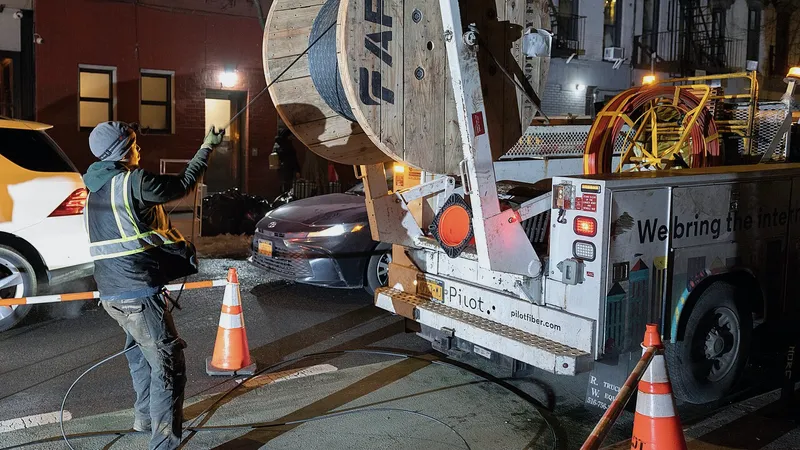
- Fiber has to be built to the address: this can take a long time, and the carrier may ask for a contribution to construction cost or a longer contract term in exchange for building it. Do not plan an opening date around a fiber build without a fallback.
- Fixed wireless (an antenna on the roof pointed at the carrier's tower): often the fastest to install because there is nothing to dig, but it needs roof access and line of sight.
Two practical rules. First, order the week you sign the lease, before anything else. Second, ask for the install date in writing and call to confirm it a couple of weeks out, because dates slip and the carrier will not call you. If the opening or move date is inside four weeks, I plan for a temporary connection from the start, such as a cable or wireless line, and put fiber on order for later.
These timings are what I see in general across the market, not any carrier's promise. The only date that counts is the one in your order confirmation.
Fiber vs cable vs fixed wireless: which should a small office order?
For a small or mid-sized Dallas office, the choice comes down to what reaches the building and how much the office depends on the connection. Here is how the three compare in general terms.
| Type | What it is | Strengths | Limits | Good for |
|---|---|---|---|---|
| Fiber | A glass line from the carrier to your suite, business grade | Same speed up and down, consistent under load, usually the best reliability terms | Only where it already reaches the building, or after a build with a long lead time; often a term contract | Any office that lives on cloud files, video calls, VoIP phones or large uploads; the default when available |
| Cable internet | Business service over the same coaxial network as residential cable | Widely available, quick to install, cheap for the download speed | Upload much slower than download; shared with the neighbourhood; support terms are lighter | Small offices where fiber is not available, or as the second connection behind fiber |
| Fixed wireless | A rooftop antenna to a carrier's tower, no cable to the street | Fastest to install, works where nothing else reaches, useful as a temporary line | Needs roof access and line of sight; weather and distance affect it; speeds vary by provider | Temporary service while fiber is built, backup connection, or buildings with no wired option |
A few things people miss. The upload speed matters more than it used to, because cloud files, backups and video meetings all send data out. A cable plan with fast download and slow upload feels sluggish in a Microsoft 365 office. Business service costs more than residential for the same speed because of the support terms and the fixed public address, and for an office that is worth paying for. And the speed on the brochure is a maximum, not a floor.
I go deeper on the wiring side of this in Cat6 vs Cat6a vs fiber for an office build-out, which is a different question: that one is about the cable inside your walls, this one is about the line from the carrier.
What to ask the landlord before you sign
The cheapest moment to fix an internet problem is before the lease is signed, because the answers change what you are agreeing to.
- Which carriers serve this building today? Not "which are available in the area". Which ones have equipment in the riser and tenants on it.
- Is fiber already in the building? If yes, which carrier, and does it reach this floor.
- Where is the building's telecom room and where would the carrier's handoff land in this suite? The answer tells you where the IT room should be.
- Is there existing cabling in the suite, and was it tested? Old jacks with no paperwork are decoration until proven otherwise.
- Does the building have rules about carriers, roof access or after-hours work? Some Dallas towers have preferred carriers or require their own contractor for anything in the riser.
- Who signs the carrier's access agreement? A carrier bringing a new line in needs the owner's permission, and that signature can be the slowest step of all.
If you send me the building address before you sign, I can usually find out which carriers serve it and tell you what to expect. That is a short conversation that has saved clients from suites where the only option was a long fiber build. For a full picture of what else to check before signing, see the office move IT checklist.
What to order the week you sign the lease
Internet is first, but it is not the only clock that starts at signature. Here is the list I give new-office clients for the first week.
- Internet, primary. Fiber if it reaches the building, otherwise the best available business service. Ask for a static public address, which VoIP phones, VPNs and some line-of-business software need. Get the install date in writing.
- Internet, secondary, if the office cannot afford a day offline. A cheaper cable or wireless line from a different carrier, so one outage does not stop the office. The firewall switches over automatically.
- The IT room decision, so the carrier can be told where the handoff goes when they schedule the install.
- Cabling, booked for before the walls close if there is construction, or a test of the existing cable if there is not. Details in data cabling and IT room setup.
- Firewall, switch and access points, ordered so they arrive with time to configure before the install.
- Computers, business-class models with enough lead time to set up before opening day.
- Phones, cloud extensions for the new site, and a number port if a number is moving carriers, which takes weeks on its own.
None of these need to be finished in week one. All of them need to be ordered, because every one has a lead time and the internet date sets the pace for the rest.
Where the carrier's equipment lands, and why it matters
The carrier installs a box, often called the demarc or handoff, which is where their responsibility ends and yours begins. Where that box lands decides how much cabling you need and how tidy your IT room will be.
In a multi-tenant building, the carrier's line usually terminates in a shared telecom room on your floor or in the basement, and the carrier extends it to your suite as part of the install, or not, depending on the order and the building. In a standalone building it lands wherever the line enters. In both cases, the installer will put the box where it is quickest for them unless someone tells them otherwise.
What I do: I tell the carrier the IT room location when the order is placed, I meet the installer or leave clear instructions with the property manager, and I make sure the handoff lands inside or next to the rack. If it cannot, I run a cable from the handoff to the IT room as part of the cabling job, which is far cheaper to do while the cabling crew is already there than as a separate visit later.
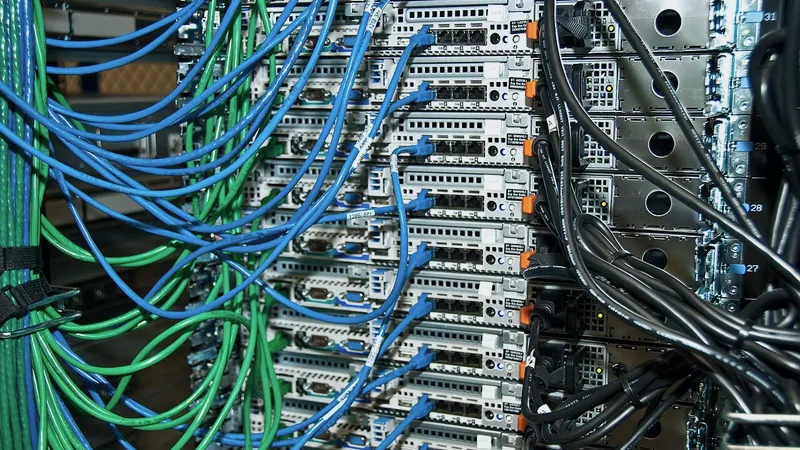
Once the box is in, the carrier's job is done. Everything after it, the firewall, the switch, the Wi-Fi and the computers, is IT. The firewall is the piece that turns the carrier's line into your office network, with the security settings, the guest Wi-Fi separation and the failover to the second line. I configure it from my desk before it reaches the building, so on install day I plug it in and prove the connection rather than typing settings under pressure.
Cabling, Wi-Fi and computers: what depends on the internet date
The internet install is one date, but the whole first day depends on the order around it. Here is how the pieces line up.
- Cabling does not depend on the internet. It should be finished, terminated and tested before the carrier arrives, so the handoff connects to a network that exists.
- The firewall and switch are configured in advance and installed in the rack before or on install day. The moment the carrier's line is live, I prove it with a laptop at the handoff and then through the firewall.
- Wi-Fi access points go up with the switch, but there is no point testing coverage until the connection is live, so that walk happens after install day.
- Computers are set up at my desk or onsite before install day, with the software and security already on them, and then joined to the network once it exists. They should not wait for the internet to be set up from scratch.
- Cloud phones need the internet to register, so they are the last thing tested, and they need the static address and the quality settings on the firewall that I set in advance.
- Printers, scanners and anything that emails get tested after the connection is live.
The failure pattern to avoid is a carrier install on the Friday before opening with nothing else ready, so that the one date with no slack in it is also the date everything else is being done. The fix is to have the install a week or more before opening, with cabling and the IT room finished beforehand. When the install date cannot move, the rest of the setup moves earlier to make room for it. The full timeline is in opening a second office.
How I coordinate internet for a new office
The value of having me coordinate this is not the phone calls; it is that the same person owns the IT room, the cabling, the firewall and the install date, so nothing falls between them. Here is what that looks like from your side.
You send me the address, ideally before you sign. I find out which carriers serve the building and tell you what to expect for lead time and options. You place the order in your business's name, or I do it with you on the phone, with the IT room location and the static address on the order. I put the install date on the project calendar and chase it a couple of weeks out. Meanwhile the cabling is done and the firewall is configured at my desk. On install day, I meet the technician or leave instructions, and when the line is live I prove it end to end, from the carrier's handoff through the firewall to a laptop in the conference room. Then Wi-Fi, phones, printers and computers are tested against a connection that works.
If the carrier slips, and they do, I know early enough to arrange a temporary line rather than a lost opening day. If the building turns out to have a rule nobody mentioned, I find out from the property manager in week one rather than from the installer at the door.
Internet coordination is included in a new-office or move project, which is quoted as a fixed price after a walkthrough. If you are signing for a new space anywhere in Dallas–Fort Worth, send me the address, and I will tell you what internet is realistic there before you commit.
Questions people ask
Who should order internet for a new office?
The order should be in your business's name, but your IT person should coordinate it. The install only works if it lines up with the IT room location, the cabling from the carrier's handoff to the firewall, and a firewall configured to use the new line on day one. I place or review the order with you, tell the carrier where the handoff goes, chase the install date and prove the connection when it is live.
How long before opening should internet be ordered?
The week you sign the lease. Lead times for a new commercial address in Dallas are measured in weeks when the carrier already serves the building, and considerably longer if fiber must be built. Aim for the install a week or more before opening so nothing else depends on the one date with no slack. If the opening is inside four weeks, plan a temporary connection from the start.
Is fiber worth it for a small office?
When fiber already reaches the building, yes, and it is the default I recommend. It gives the same speed up and down, which matters for cloud files, backups and video calls, and business fiber usually comes with better reliability terms. When fiber is not in the building, business cable or fixed wireless is the practical choice, with fiber put on order for later if a build is reasonable.
Do I need a second internet connection?
If a day without internet would stop your office, yes. A cheaper cable or fixed wireless line from a different carrier, connected to the firewall as a backup, means one carrier's outage does not send everyone home. The firewall switches over on its own. For a law firm, dental practice or any office on cloud phones and cloud files, the second line is inexpensive insurance.
What does the carrier install and what is my responsibility?
The carrier brings the line into the building and installs a handoff box, sometimes called the demarc, and their responsibility ends there. Everything after it is yours: the firewall that turns the line into an office network, the switch, the Wi-Fi, the cabling to each desk and the computers. I make sure the handoff lands in or next to the IT room and connect it to a firewall I have configured in advance.