Key takeaways
- An IT company sets up the network, internet, cabling, computers and phones for a new business location; for a small business, one owner-led company can do all of it and then support both sites.
- The second office should be built so that staff sign in, open files and answer the phone the same way at either location, which usually means cloud services rather than a second server.
- Internet has the longest lead time, so order it for the new address the week you sign the lease.
- Connecting two offices is done with a site-to-site VPN, a cloud-first design or both, and the choice depends on where your files and software live.
- Standardising equipment across both sites makes them cheaper to support and easier to grow into a third.
Who sets up the technology for a second office in Dallas?
An IT company sets up the network, internet, cabling, computers, Wi-Fi and phones for a new business location. For a small business opening its second office, the right IT company is often the one that already supports the first office, because the goal is not two separate setups but one business working from two addresses. I am Anthony Omini, the owner of Cross River Tech, a small IT company in Dallas, and office expansion projects are part of the office move and new-office IT setup work I do across Dallas–Fort Worth.
A second office is a different project from a move. Nothing is being carried across town. Instead you are building a new site from nothing while the first office keeps running, and you are deciding, usually for the first time, how the two will share files, sign-in, phones and support. Those decisions are the important part, and the cabling and computers follow from them.
This article covers what the new location needs, how the two sites connect, what to order the day you sign, what to standardize, and how a small, owner-led IT company supports two offices without either one waiting on the other.
What a new business location needs, in order
Here is the list I work from when a business tells me it has signed a lease for a second site. It is in the order things have to happen, which is not the order people think of them.
- Internet ordered for the new address, the week the lease is signed. Every carrier has a lead time and a new commercial address can take weeks. Details in getting internet into a new office.
- A decision on how the two sites connect, covered in the next section, because it changes what equipment goes in the IT room.
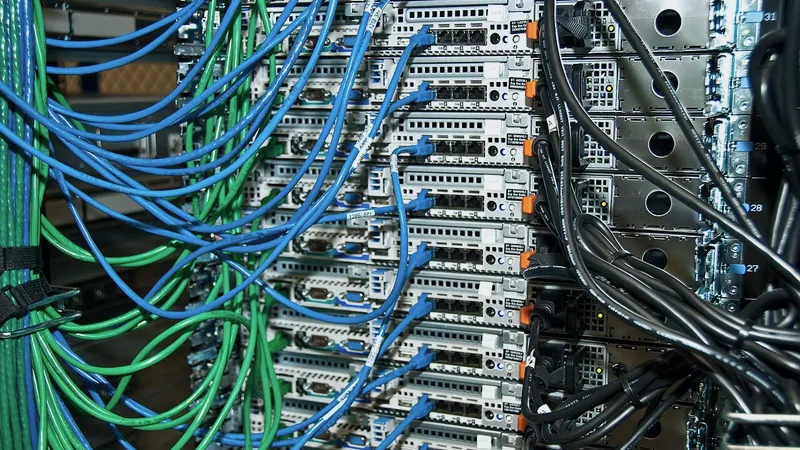
- Cabling: Cat6 from the IT room to every desk, printer, conference room and access point, terminated on a patch panel, tested and labeled. Done before the space is finished if there is any construction. See data cabling and IT room setup.
- IT room: rack or wall cabinet, patch panel, switch, firewall, battery backup, on a dedicated circuit with a lockable door.
- Wi-Fi access points placed for the floor plan, with a staff network and a separate guest network.
- Computers, ideally the same models as the first office, set up with the same software and security before they reach the desk.
- Phones: extensions for the new site on your existing cloud phone system, or a plan for the old one.
- Printers and scanners on the network, reachable from both sites where that is useful.
- Security: the same antivirus, email protection and backup as the first office, from day one, not as a follow-up.
- Testing from a desk: sign in, open files, print, make a call, join a video meeting, from the new location and then from the old one to something at the new one.
Every item on this list is something my company does, with me planning and sequencing it, which is why the order holds. There is no cabling contractor waiting on an IT company waiting on a phone vendor.
How do you connect two offices?
There are three ways two offices share their IT, and the right one depends on where your files and your software live today. In general terms:
| Approach | How it works | Best when | Watch out for |
|---|---|---|---|
| Cloud-first | Files in SharePoint, OneDrive or Google Drive; sign-in through Microsoft 365 or Google Workspace; phones in the cloud. Each office just needs internet. | Your files and email are already in Microsoft 365 or Google Workspace, and your line-of-business software is hosted or web-based | Very large files, or software that only runs on a server |
| Site-to-site VPN | The two firewalls build an encrypted tunnel over the internet so the second office can reach the server at the first as if it were local | You have a server the second office needs, such as a practice, case or agency management database | Speed depends on both internet connections; the second site is down if the first is |
| Both | Cloud for files, email and phones; VPN only for the one program that still lives on the server | Most small businesses with one legacy program and everything else already in the cloud | Keeping the VPN in use for as little as possible so the second office is not dependent on the first |
The pattern I recommend most often is the third one. Put everything that can live in the cloud there, so either office works on its own, and use a VPN only for the program that has to reach the server. Over time that program usually moves to a hosted edition and the VPN is switched off. Managed SD-WAN products exist for businesses with many sites; for two offices they are usually more than you need.
The wrong answer is a second server at the second office. It doubles the backups, the updates and the things that can break, and it turns two offices into two IT departments.
One business, two addresses: sign-in, files and phones
The test of a good second-office setup is that a staff member can sit at either location and everything works the same way. Here is what that means for each piece.
Sign-in. Staff should use the same account at both sites. If your first office runs a server with Active Directory, the second office either reaches it over VPN or, better, everyone moves to Microsoft Entra ID sign-in so that a laptop works at either desk or at home. I handle that under Microsoft 365 and Google Workspace support.
Files. A shared folder that lives on the server at office one is slow and fragile from office two. Shared files belong in SharePoint, OneDrive or Google Drive, organized once, with the same permissions at both sites. If your files are too large for that, design firms in particular, then a server with a fast VPN or a synchronised NAS at each site is the honest answer, and I say so.
Phones. A cloud phone system gives the second office its own extensions, its own ring group and a local number if you want one, while calls to the main number can reach either site. An old on-premises phone system does not do this well, and a second office is usually the moment to retire it.
Printers. Each site has its own, and staff who travel between sites should be able to print at either without calling me.
Security. Same antivirus, same email protection, same backup, same multi-factor sign-in at both sites, managed from one place. A second office that is less protected than the first is the way in.
What to order the day you sign the lease
The lease signature starts several clocks, and the longest of them is the internet carrier's. Here is what I ask new-location clients to do in the first week.
- Order internet at the new address. Ask the landlord which carriers already serve the building. If fiber is in the building, order it. If not, order the best available service now and put fiber on order for later. Ask for the install date in writing.
- Book the cabling for before the walls close if there is any construction, and ask the landlord what cabling exists if the suite is finished.
- Choose the IT room and tell the general contractor it needs a dedicated circuit and airflow.
- Order the network equipment: firewall, switch, access points, rack. Ideally the same brands as the first office, so both sites are managed the same way.
- Order the computers. Business-class models, the same as office one, with enough lead time to set them up before opening day. I explain the model choices in buying and supporting Dell and Lenovo business computers.
- Add phone extensions and licenses for the new staff, and order a local number if the new office needs one.
- Add Microsoft 365 or Google Workspace licenses for new hires so their accounts exist before their first day.
- Tell the property manager what you will need: after-hours access for the cabling, freight elevator for equipment, roof or riser access for the carrier.
If the opening date is under four weeks away, internet is the item that decides whether it is realistic, and a temporary connection may be needed. I would rather tell you that in week one than in the last week.
Standardise now so the third office is easy
Businesses that open a second office often open a third. The decisions you make for the second site are the template, so it is worth making them deliberately.
- Same firewall and switch brand at every site, managed from one console, so a change is made once and applied everywhere.
- Same computer models, with a standard build: same software, same security, same settings. A new hire's computer at any site is set up the same way in the same time.
- Same naming and labeling: drop numbers, printer names, Wi-Fi network names. Staff who move between sites should not have to learn anything.
- One phone system, one file structure, one sign-in. The business has one IT, not one per address.
- Documentation per site: the floor plan with drop numbers, the equipment list, the carrier account and the property manager's number, kept where I can find them from anywhere.
Standardising is also what makes a small, owner-led IT company work across sites. Everything I learn at office one applies at office two. When something breaks at either, I know what it is before I look, because it is the same as the other one.
For insurance agencies in particular, which often grow by adding a location, I go into the specifics in IT for an insurance agency opening a second location.
Can one IT person support two offices?
Yes, for the size of business I work with, and here is how it works in practice rather than in theory.
Most support is remote. When someone at either site cannot open a file or a printer stops responding, my team and I connect to their computer and fix it remotely, the same as if they were down the hall. That is true whether the second office is in Plano, Fort Worth or another part of Dallas, and it is true if the second office is in Houston or Austin, which I cover under remote IT support anywhere in Texas.
Onsite visits are by appointment, and for two DFW locations that means a scheduled visit to each when something physical needs doing: a new hire's desk, a failed switch, a cabling change. Because both sites are built to the same standard, an onsite visit is rarely a surprise.
The honest limit is that onsite visits are scheduled, so a physical fault at both sites on the same morning is handled in order rather than instantly. For most small businesses that limit never matters, because the physical failures are rare and the rest is remote. For the rare case where it does, a standardized setup means I can walk a staff member through swapping a spare firewall over the phone in a way that is not possible with a setup nobody documented.
My managed IT plan is priced per user or per device, month to month, so adding a site adds the people and devices at that site and nothing else.
Timeline for a second-office IT setup
For a second office of five to twenty desks in a finished or lightly renovated suite, the timeline usually looks like this. A full build-out with construction stretches the cabling stage to match the general contractor's schedule.
| When | What happens |
|---|---|
| Week the lease is signed | Internet ordered; IT room chosen; cabling booked; equipment and computers ordered; decision on cloud-first vs VPN made |
| Weeks two to four | Cabling installed, terminated and tested; firewall and switch configured remotely at my desk; new user accounts and phone extensions created |
| Week before opening | Internet installed and proven; rack, switch, firewall and access points installed; computers set up and delivered to desks; printers on the network |
| Opening day | Onsite before staff arrive; test sign-in, files, printing, phones and Wi-Fi from a desk; fix what real users find |
| First month | Small adjustments; backups verified at the new site; documentation finished; both offices on the same support plan |
The setup is quoted as a fixed project price after I have walked the new space, with cabling and equipment listed separately so you can see what is labor and what is hardware. If you have signed, or are about to sign, for a second location anywhere in Dallas–Fort Worth, send me the address and the opening date. I will tell you the same week what is on time, what is tight and what I would change.
Questions people ask
Who sets up the network for a new business location?
An IT company or technician. The work covers ordering internet at the new address, running and testing network cabling, installing the rack, switch, firewall and Wi-Fi, setting up computers and phones, and connecting the new site to the first one. For a small Dallas business my company does all of it, with me planning and running the build, so the second office is built to match the first and supported by the same people afterwards.
Does a second office need its own server?
Usually not, and I recommend against it. A second server doubles the backups, updates and failures. Files, email and phones belong in Microsoft 365 or Google Workspace and cloud phone service so that either office works on its own. If one program must stay on the server at the first office, a site-to-site VPN lets the second office reach it without a second server.
How do two offices share files and sign-in?
Best practice is one account per person that works at either site, with files in SharePoint, OneDrive or Google Drive and the same permissions at both locations. If the first office still relies on a server for sign-in and files, the second office can reach it over a VPN, but the better long-term step is to move sign-in and files to the cloud so nobody depends on the other building.
What is the first thing to do after signing a lease for a second office?
Order internet for the new address. Carrier lead times for a new commercial suite can run to several weeks, and nothing else in the setup works without it. In the same week, choose the IT room, book cabling for before any walls close, and order the network equipment and computers. Those four items set the timeline; everything else fits around them.
Can one person support offices in two different cities?
Yes, in the sense that matters: you deal with one owner and one company. Nearly all day-to-day support is remote, so a second office in Fort Worth, Plano or another Texas city is supported the same way as the first. Onsite visits are scheduled when something physical needs doing. Both sites are built to the same standard, which means a fix at one applies at the other and a spare part can be swapped with a staff member on the phone.