Key takeaways
- Bring IT into the build-out before the walls are closed, so every operatory gets the right cable drops and the IT room gets power, cooling and a place for the rack.
- Most new practices in Dallas run practice management software either on a small onsite server or in the cloud, and the imaging system usually decides which.
- Internet, phones and imaging vendors all have lead times of weeks, so order them at the same time you order the dental chairs.
- HIPAA safeguards are far cheaper to build in on day one than to retrofit after the first patient walks in.
- One company can wire, network and support the whole practice, and the owner who planned it then knows every cable and login when you call later.
Who sets up IT for a new dental practice in Dallas?
I do, and I do the whole thing: the Cat6 cabling during construction, the IT room, the network, the workstations in each operatory, the server or cloud setup for your practice management software, the imaging integration, the phones, and the security settings that help you meet HIPAA. Cross River Tech is a small, owner-led managed IT company in Dallas, so the person who planned the cable behind your drywall is the same person who answers the phone when a sensor stops talking to the software a year later, with my team handling the routine monitoring behind me.
That matters more for a startup practice than for almost any other kind of business. A new dental office has a lot of moving parts that all have to work together on opening day: the practice management software, the digital X-ray sensors, the panoramic unit, the phones, the patient monitors on the ceiling, the internet, the printer at the front desk. When five different vendors each own one piece, every problem becomes a finger-pointing exercise. When one company owns the network and the workstations, the vendors have someone to coordinate with and you have one number to call.
This article walks through what I actually do on a new practice, in the order it happens. If you are further along and just need someone to take over the network you already have, the dental practice IT support page covers ongoing support. If you are at the lease-signing stage, keep reading.
When should IT get involved in the build-out?
Before the walls are closed. That is the single most useful thing I can tell a dentist opening a practice. Once drywall is up and painted, adding a network drop to an operatory means cutting the wall open again or running a surface raceway that looks cheap in a room you spent real money finishing.
The ideal moment to call is when you have a floor plan from your architect or dental equipment supplier and before the general contractor starts framing. At that point I can:
- Mark every cable drop on the plan, room by room, and hand the contractor a low-voltage sheet to build from.
- Pick the IT room location, and make sure it gets a dedicated electrical circuit, cooling and a wall solid enough to hang a rack.
- Coordinate with your dental equipment supplier so the chair-side computer mounts, sensor cables and monitor arms land where the network jacks are, not on the opposite wall.
- Get the internet order placed, because carriers in Dallas commercial buildings often need several weeks to bring service to a new suite.
If you are already past framing, do not panic. I have pulled cable through finished ceilings plenty of times, and most Dallas dental suites have a drop ceiling in the hallway that makes it workable. It just costs a little more time. The build-out cabling article goes deeper into what changes when the walls are already up.
What cabling does a new dental office need?
Cat6 to every place a device will ever sit, plus a few spares. Cable is cheap while the walls are open and expensive afterwards, so I over-provision on purpose. Here is a typical drop count for a single-doctor practice:
| Room | Drops | What they serve |
|---|---|---|
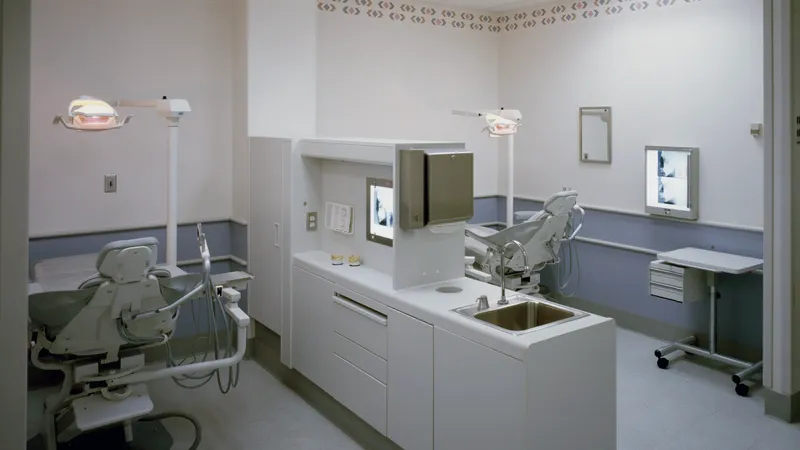
| Each operatory | 3 to 4 | Chair-side computer, sensor or intraoral camera interface, ceiling monitor, spare |
| Front desk | 2 per seat, plus 2 | Workstation, phone, printer, label printer, card terminal |
| Imaging room | 3 to 4 | Panoramic or CBCT unit, acquisition computer, spare |
| Doctor's office | 2 to 3 | Computer, phone, printer |
| Sterilization | 1 to 2 | Tracking computer or label printer |
| Consult room | 2 | Computer, wall display |
| Ceiling, throughout | 2 to 4 | Wi-Fi access points, cameras if you want them |
| Waiting room and break room | 1 to 2 each | TV, check-in tablet, printer |
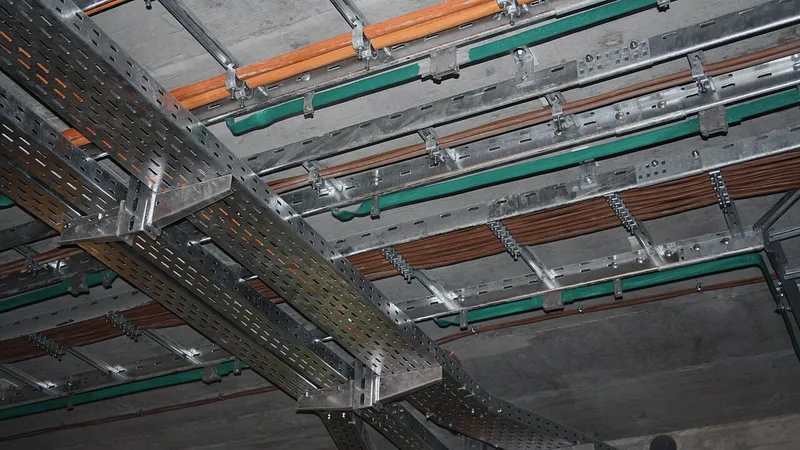
Every run goes from the jack back to a patch panel in the IT room, gets terminated, labeled at both ends and tested. I also ask the electrician to leave conduit or a pull string from the IT room to the imaging room, because panoramic and CBCT units sometimes arrive with their own connection requirements and a spare path saves opening the wall later.
Phones ride on the same Cat6 as data, so there is no separate phone wiring anymore. If you want to compare cable grades, Cat6 versus Cat6a versus fiber explains why plain Cat6 is the right answer for almost every dental suite.
Should a new practice run a server or go to the cloud?
It depends on your practice management and imaging software, and I would rather you pick the software first and let that decide the infrastructure. Broadly there are two paths:
| Question | Onsite server | Cloud practice software |
|---|---|---|
| Typical software | Dentrix, Eaglesoft, Open Dental | Dentrix Ascend, Curve, hosted Open Dental |
| Up-front cost | Server hardware, Windows Server licensing, backup device | Little hardware beyond workstations |
| Monthly cost | Support, backup, eventual replacement | Subscription per provider or per office |
| Internet goes down | Charts and schedule still work inside the office | Practice largely stops until it is back |
| Imaging | Full-resolution images stored locally, fast | Uploads large files; CBCT often still needs local storage |
| Backups and HIPAA | Your responsibility, and I manage them | Vendor handles the database; you still own workstation and email security |
For a single-location startup with a panoramic unit or CBCT, I still see a small onsite server as the practical choice more often than not, because 3D imaging files are large and the imaging software vendors are built around a local database. For a practice that is 2D-only and wants the lowest possible hardware bill, cloud software is genuinely good now, and a second internet connection covers the outage risk. I set up either one, and I will tell you honestly which fits rather than steer you toward the one that earns more. More on the software side is in supporting Dentrix, Eaglesoft and imaging software.
How does digital imaging fit into the network?
Imaging is where most new-practice IT problems actually show up, so I plan it carefully. Digital sensors, intraoral cameras, panoramic units and CBCT machines all talk to an acquisition computer, and that computer talks to the imaging software on your server or in the cloud. Every link in that chain has to be right.
- Network addressing. Pan and CBCT units usually want a fixed IP address on a stable network. I reserve those addresses so a router reboot never breaks the connection.
- Dedicated switch ports. Imaging units get their own labeled ports, and I keep them on the same wired network as the server so a 3D scan never crosses Wi-Fi.
- Acquisition workstations. The computer beside the pan needs the vendor's software, the correct drivers, and enough disk and memory. I confirm the specification with the imaging vendor before ordering, because the wrong workstation is a common cause of a delayed opening.
- Storage and backup. Images are patient records. They go on the server, they get backed up offsite, and I test a restore before you open.
- Vendor coordination. The imaging installer will want the network and workstation ready on their install day. I make sure they are, and I am reachable that day so nobody stands around waiting.
The same approach applies to a medical practice with ultrasound or in-office X-ray. The medical practice page covers those differences.
What about internet and phones?
Order the internet the day you sign the lease. Commercial fiber in Dallas can take weeks to install, and a new suite in a building that has never had service can take longer. I help you pick a carrier that can actually reach your address, place the order, and chase it. I also recommend a second, cheaper connection from a different carrier, wired into the firewall as automatic failover. For a practice running cloud software, that second line is the difference between a slow afternoon and a canceled one.
For phones I work with Cleod 9 Voice, a cloud phone system that runs over the same network as your computers. Desk phones plug into the Cat6 jacks you already paid for, the auto attendant and voicemail live in the cloud, and if your internet drops, calls forward to a cell phone automatically. Old-style phone lines from the telephone company are more expensive and harder to change than most dentists expect, so I rarely recommend them for a new office. The details are in phone system and IT support for a dental clinic.
Fax is still real in dentistry because specialists and insurance companies still use it. I set up a cloud fax service so referrals arrive as PDFs in a secure mailbox, and nothing sits in a paper tray in the hallway.
What HIPAA safeguards should be in place on day one?
HIPAA does not tell you which firewall to buy. It requires reasonable safeguards for patient information, and an IT setup that has those built in helps you meet the rule without turning your front desk into security experts. On a new practice I put the following in place before the first patient:
- A business-grade firewall with the management interface locked down and remote access only through a secure connection.
- Separate Wi-Fi networks: one for practice devices, one for patient guests, and nothing on the guest side can see the server.
- A unique login for every person on every computer. Shared logins make an audit impossible.
- Full-disk encryption on every workstation and laptop, so a stolen computer is a hardware loss, not a breach.
- Automatic screen locks in operatories and at the front desk.
- Multi-factor authentication on email and on any cloud practice software.
- Managed antivirus and email filtering, because phishing is how most small practices actually get hit.
- Encrypted, offsite backups that I test by restoring a file, not just by reading a green checkmark.
- A signed business associate agreement with me and with every vendor that touches patient data, including the cloud fax and the phone system.
- A written risk assessment, kept with your compliance documents.
None of this is exotic, and doing it at setup costs very little compared with fixing it later. For the ongoing side, read HIPAA-compliant IT for dental offices.
What does the timeline look like alongside the contractor?
Every build-out is different, but the IT work falls into the same phases. Here is how I line up with a typical Dallas dental construction schedule:
- Lease signed, plans drafted. I mark drops on the floor plan, choose the IT room, place the internet order and confirm imaging vendor requirements. You choose practice management software now if you have not already.
- Framing and rough-in. I pull Cat6 while the electrician pulls power, before insulation and drywall. Conduit to the imaging room goes in now.
- Drywall and finishes. Nothing for me to do inside the walls. I order the server, workstations, switch, firewall and access points so they arrive before the finish date. Dell and Lenovo business lines are what I usually specify.
- Finish-out. Jacks get terminated and tested, the rack goes up, the firewall and switch go live, and the internet gets activated the moment the carrier finishes.
- Two to three weeks before opening. Workstations are set up and joined to the network, practice software is installed, imaging vendors do their installs, phones are programmed with your greeting and hours, and I show the front desk the basics.
- Opening week. I am reachable, and usually onsite for the first morning, because something small always needs a tweak on the day real patients arrive.
After opening, most new practices move onto a month-to-month managed IT plan so the company that built it keeps everything patched, backed up and answered, with me as your contact.
How do I get a quote for a new dental office?
Send me the floor plan, the address, and the names of the practice management and imaging software you are leaning toward. Cabling is quoted per drop, which is the standard way to price it, and the IT room equipment, workstations and setup labor are quoted as a project so you have one number for the bank or your lender. If you only want the cabling done while the walls are open and will handle the rest later, that is fine too. It is covered on the data cabling page.
The soonest useful conversation is a short call where I look at your plan and tell you what I would change before the contractor starts. It usually saves more than it costs. You can reach me through the contact page or call (214) 612-7080.
Questions people ask
How early should I contact an IT company when opening a dental practice?
As soon as you have a floor plan and before framing begins. That lets me mark cable drops for every operatory, choose the IT room and place the internet order while the building is still open. If the walls are already finished I can still do the work, but pulling cable through finished ceilings takes longer and costs more than doing it during construction.
Do I need a server for a new dental practice, or can everything be in the cloud?
Either can work, and the software decides. Dentrix, Eaglesoft and Open Dental typically run on a small onsite server, which also suits practices with a panoramic or CBCT unit because 3D image files are large. Cloud products such as Dentrix Ascend or Curve need very little hardware but depend entirely on your internet, so I pair them with a second connection for failover.
How long does internet take to install in a new Dallas dental suite?
Plan on several weeks, and longer if the building has never had fiber brought to your suite. That is why I place the order the day you sign the lease. I also arrange a second, lower-cost connection from a different carrier, so the practice keeps running if the main line has a problem after you open.
Can you set up the phones as well as the computers?
Yes. I work with Cleod 9 Voice, a cloud phone system that runs over the same Cat6 network as your computers. I program the auto attendant, office hours, after-hours routing and voicemail, port your existing number if you have one, and set calls to forward to a cell phone automatically if the internet drops. One company handles the phones and the network, so there is no finger-pointing between vendors.
Will the IT setup make my practice HIPAA compliant?
No IT setup makes a practice compliant on its own, because HIPAA also covers policies, training and paperwork. What I do is build in the technical safeguards the rule expects: encryption, unique logins, multi-factor authentication, a proper firewall, tested backups and business associate agreements with vendors. That gives you a setup that helps you meet HIPAA from day one, with the risk assessment documented.
What if I only want the cabling done and will handle the computers myself?
That is fine. Cabling is quoted per drop and includes termination, labeling and testing at both ends, plus the patch panel and rack in the IT room if you want them. Many dentists have me run the cable during construction and come back later for the rest, or bring in their own equipment supplier for the workstations. You are not locked into anything.
Sources and further reading
Market price ranges in this article are my own observation of quotes in the Dallas market, not a published survey. Where I state a rule or a standard, the source is linked above.