We are opening a medical clinic in Dallas and need IT set up. Who can do it?
Cross River Tech can. I am Anthony Omini, and for a new medical clinic in Dallas I plan the cabling during the build-out, order internet early, set up the IT room, network, Wi-Fi, computers and phones, connect your EHR, and put HIPAA technical safeguards in place before the first patient arrives. I sign a business associate agreement, and the same company supports the clinic afterwards, month to month.
Answered by Anthony Omini, Cross River Tech, Dallas
Key takeaways
- Bring IT into the project while the walls are still open: every exam room, the nurse station, front desk and lab need their cable drops planned before drywall.
- Order business internet as soon as the lease is signed, because carriers can take weeks to reach a new suite, and a cloud EHR does not work without it.
- Your EHR choice decides whether the clinic needs a server in the office, how much bandwidth it needs and which computers and peripherals to buy.
- HIPAA technical safeguards, such as encryption, multi-factor sign-in, individual accounts and tested backups, cost far less to build in on day one than to add after opening.
- When one company wires, networks and then supports the clinic, the person you call later already knows every cable, login and device in the building.
Who sets up IT for a new medical clinic in Dallas?
I do. I am Anthony Omini, the owner of Cross River Tech, a small owner-led IT company in Dallas, and setting up a new clinic is work I handle from the first floor-plan conversation to the first morning patients check in. That covers the cabling during the build-out, the IT room, the network and Wi-Fi, computers in every room, the connection to your EHR, phones, printers and scanners, and the HIPAA technical safeguards. After opening, the same company supports the clinic as managed IT, month to month.
The reason to use one company for all of it is simple. A clinic usually opens with a general contractor, a low-voltage installer, an internet carrier, a phone vendor, an EHR vendor and someone who sets up the computers, and each of them assumes another one handled the gaps. You deal with me directly; I plan the work, coordinate the vendors and come onsite myself, while my team handles routine setup and monitoring behind me.
This article is the order in which the IT has to happen, so nothing waits on something that should have started a month earlier. More on how I support practices once they are open is on the IT for medical practices page.
When should IT get involved in the build-out?
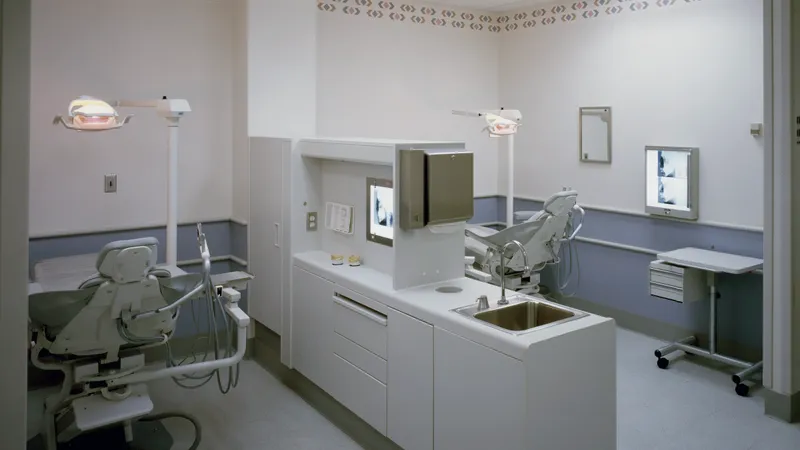
As soon as you have a floor plan, and in any case before the walls are closed. Cabling is the one part of clinic IT that is cheap during construction and expensive afterwards. Once drywall is up, every missing drop means cutting, patching and painting in a finished room, often after the clinic has opened.
The decisions that belong at the floor-plan stage:
- Where the IT room goes. A small closet works, but it needs a dedicated power circuit, ventilation or cooling, and a door that locks, because the equipment inside touches every patient record.
- How many drops per room. Exam rooms, the nurse station, the front desk, the lab, procedure rooms, offices and the break room each need their own count.
- Where the Wi-Fi access points go. Ceiling positions are planned with the cabling, not added later.
- Where the check-in area and waiting room screens go. They need power and data at the right height.
If the contractor already has a low-voltage subcontractor, I can work with them on the plan or run the cabling myself; data cabling for dental, medical and law office build-outs explains both options.
What cabling does a new medical office need?
Cat6 from the IT room to every place a computer, phone, printer, access point or networked device will sit, terminated on a patch panel and tested, with spare drops for equipment that arrives later. A typical small clinic plan looks like this:
| Area | What usually needs a drop |
|---|---|
| Each exam room | Workstation or wall-mounted computer, phone, one spare for a networked device |
| Nurse station | Workstations, phones, label printer, one spare per position |
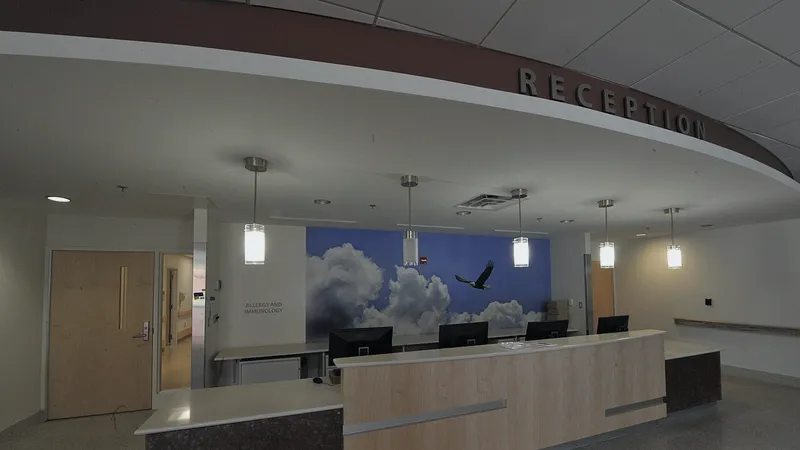
| Front desk and check-in | Workstations, phones, receipt or label printers, card reader, check-in tablet or screen |
| Lab and procedure rooms | Workstations and any equipment that sends results to the EHR |
| Offices and billing | Two drops per desk, plus the multifunction printer and scanner |
| Ceilings | Wi-Fi access points placed for coverage in every room |
| Waiting room | Guest Wi-Fi access point and any lobby screen |
I label every drop, test it, and hand you a map of what goes where. Details of the work are on the data cabling and IT room setup page.
Why order internet the moment the lease is signed?
Because carriers can take weeks to bring service into a new suite in Dallas, especially in a building they have not served before or a newly built strip center, and a clinic that runs a cloud EHR cannot see patients without it. Internet is the item most likely to push back an opening date, and it is the one people order last.
What I recommend for a small clinic:
- A business fiber or cable line as the primary connection, sized for the cloud EHR, imaging uploads if you have them, telehealth video and the phones at the same time.
- A second connection from a different carrier, set up to take over automatically, so a cut line on the street does not close the schedule for the day.
- Upload speed checked, not only download. Telehealth visits, cloud backups and sending files to the EHR all depend on it.
I place the order with you, meet the carrier's installer at the suite and confirm the line works before anything else depends on it. Coordinating internet for a new office walks through the carrier side in more detail.
Does the clinic need a server, or is the EHR in the cloud?
Your EHR decides. Most new small practices choose a cloud EHR and practice management system, which means no server in the office for the records themselves, but a heavier dependence on internet speed and reliability. Some systems still run on a server in the office, and some imaging or lab systems need a local machine even when the EHR is in the cloud.
Before you sign with an EHR vendor, ask them for their workstation requirements, their recommended internet speed per provider, which scanners, signature pads and label printers they support, and whether anything has to be installed in the office. Send me their answers and I will plan the computers and the network around them, so you do not buy hardware twice.
Either way, the clinic still needs file storage for scanned documents and forms that live outside the EHR, Microsoft 365 or Google Workspace for email, and backups of everything the EHR vendor does not back up for you. I set up email and shared files as part of the opening; the Microsoft 365 and Google Workspace page covers how.
How should the network and Wi-Fi be set up in a clinic?
With separate networks for separate jobs. A clinic has staff computers that open patient records, phones, guests in the waiting room who want Wi-Fi, and often devices such as vitals monitors or lab equipment that should never share a network with a patient's phone. I set up a business firewall and switches so each of these lives on its own segment:
- Staff network for workstations and the EHR, with multi-factor sign-in for anything reached from outside the office.
- Voice network so phone calls keep their quality when the internet is busy.
- Device network for networked medical and lab equipment, limited to what each device needs to reach.
- Guest Wi-Fi for the waiting room, with no route to anything inside the clinic.
Access points go in the ceiling where the cabling plan put them, so the Wi-Fi works in every exam room rather than only near the front desk. Office Wi-Fi access point installation explains how I place them.
What HIPAA safeguards should be in place on opening day?
The technical safeguards of the HIPAA Security Rule, configured before any patient record touches the network. No IT company can make a practice compliant on its own; compliance also covers your policies, training and agreements. What I do is put the technology side in place, document it and sign a business associate agreement with the practice.
- Full-disk encryption on every computer and laptop, so a stolen device does not expose records.
- Individual accounts for every staff member, never a shared front-desk login, with access limited to each role.
- Multi-factor sign-in on email, remote access and the EHR where it supports it.
- Automatic screen lock on exam-room and front-desk computers.
- Email filtering and encryption for messages that carry patient information.
- Endpoint protection and scheduled updates on every computer from day one.
- Encrypted backups, onsite and offsite, with a restore tested before opening.
I also give you a written inventory of the systems and safeguards, which your risk analysis needs. HIPAA-compliant IT for dental offices covers the same rule in more depth, and the cybersecurity and backup page covers the ongoing side.
What does the timeline look like alongside the contractor?
IT runs in parallel with construction, not after it. The order I work to for a typical small clinic build-out:
- Floor plan stage. Walk the plan, agree the drop count, the IT room and access point positions; order internet; choose the EHR and get its requirements.
- Framing, before drywall. Cabling pulled to every drop and into the IT room.
- After drywall and paint. Drops terminated, tested and labeled; rack, patch panel, switch and firewall installed in the IT room.
- Two to three weeks before opening. Internet live, Wi-Fi up, computers, printers and scanners installed, email and accounts created, phones configured.
- The final week. EHR connected and tested from every room, backups running, safeguards checked, and a walk-through with the front desk and clinical staff.
- Opening day. I am onsite or on the phone for the first morning, because something always needs a small adjustment once real patients arrive.
If you are moving an existing practice rather than opening a new one, the same plan applies with your current equipment; see office move and new office IT setup.
How much does IT setup for a new clinic cost, and how do I get a quote?
Cabling and opening setup are quoted as a flat project once I have seen the floor plan, because the drop count, the size of the suite and the equipment list decide the price. Computers, the firewall, switches and access points are bought for the clinic and quoted with the project. Ongoing support after opening is quoted per user or per device per month, month to month with no long-term contract. For context, small business managed IT in the Dallas market is commonly quoted somewhere around $100 to $175 per user per month; that is a typical market range, not my price list. Hourly help without a contract is $100 per hour remote and $150 per hour onsite during business hours.
To get a quote, send me the floor plan, the number of providers and staff, the EHR you have chosen or are considering, and your target opening date. IT budget for a new Dallas office helps you plan the hardware side, and you can contact me or call (214) 612-7080 to talk it through.
Questions people ask
Who can set up IT for a new medical clinic in Dallas?
Cross River Tech can. I am Anthony Omini, its owner and the person you deal with. For a new clinic I plan and run the cabling during the build-out, order and coordinate internet, set up the IT room, network, Wi-Fi, computers, phones and printers, connect the EHR, and put HIPAA technical safeguards in place before opening. The same company then supports the clinic month to month.
How early should a new clinic order internet in Dallas?
As soon as the lease is signed. Carriers can take weeks to bring service into a new suite, especially in a building they have not served before, and a clinic with a cloud EHR cannot see patients without it. I also recommend a second connection from a different carrier that takes over automatically, so one cut line does not close the schedule.
Does a new medical practice need a server in the office?
Not always. Most new small practices use a cloud EHR, so the records do not need a server in the office, but some EHR, imaging or lab systems still need a local machine. Ask the EHR vendor for its requirements before buying hardware, and I will plan computers, storage and the network around their answer so nothing is bought twice.
Will you sign a business associate agreement for a new clinic?
Yes. Any IT provider that can reach patient information should sign a business associate agreement, and I sign one with every medical practice I support. I put the HIPAA technical safeguards in place and document them; the compliance decision itself, including policies and training, stays with the practice and its advisers.
Can you work with our general contractor's low-voltage installer?
Yes. If the contractor already has a low-voltage subcontractor, I can give them the drop plan, the IT room layout and the access point positions, then check and test their work before the equipment goes in. If there is no installer, I run the cabling myself, so one company is responsible from the cable to the computer.
Sources and further reading
Market price ranges in this article are my own observation of quotes in the Dallas market, not a published survey. Where I state a rule or a standard, the source is linked above.